

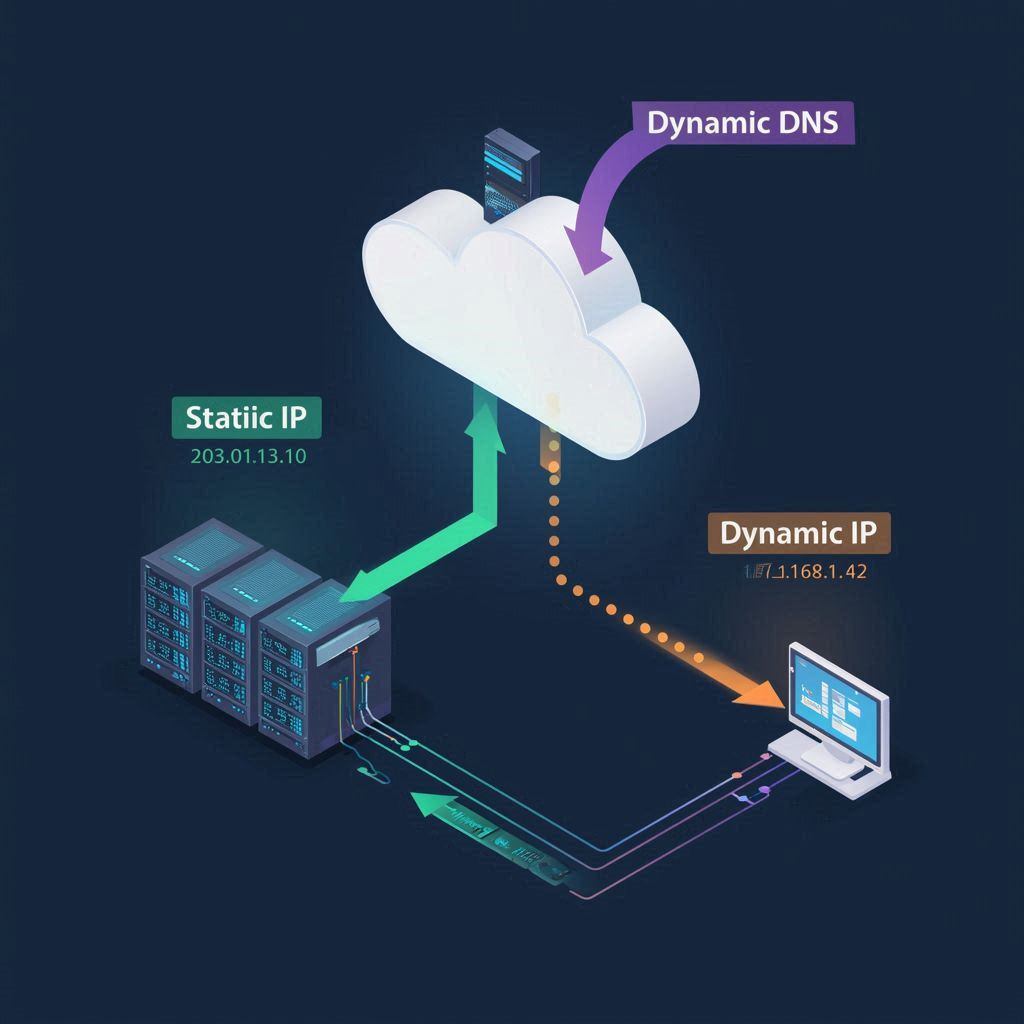
You do not need a static ip to use DVSWITCH on your node.
You Don’t Need a Static IP for Your Node or DVSwitch — Here’s Why
Many HAMS & GMRS users believe they need to buy a static IP address from their ISP to run a home node, hotspot, or DVSwitch server. Good news: you don’t. In almost every case, a simple and free tool called Dynamic DNS (DDNS) solves the problem completely.
Below is a clear explanation you can share with anyone setting up a home node, AllStar, DVSwitch, or any remote‑access ham radio system.
So someone told you you had to have a static IP to use DVSWITCH or remote connect to your node.
This is incorrect. This problem was solved way back in the 90s. Everyone should know this.
Why People Think They Need a Static IP
Most home internet connections use a dynamic IP address. This means:
- Your IP stays the same for long periods
- It can change after a modem reboot or power outage
- It is not guaranteed to stay the same forever
If you try to connect to your home node using the raw IP address, and it changes, your connection breaks. This leads people to think they need a static IP.
But they don’t.
Dynamic DNS (DDNS) Fixes the Problem
Dynamic DNS gives your home network a permanent hostname, such as:
myshack.ddns.net mycallsign.duckdns.org mynode.no-ip.org
This hostname never changes, even if your home IP does.
Your router or Raspberry Pi automatically updates the DDNS service whenever your IP changes. So instead of connecting to: 11.11.11.18
You connect to: myshack.ddns.net
And it always points to the correct IP.
DDNS Works Perfectly With DVSwitch and Home Nodes
DVSwitch, Analog_Bridge, AllStar, Pi‑Star, and other ham radio tools don’t care whether you use:
- A static IP
- A dynamic IP
- A DDNS hostname
They only care that the hostname resolves.
Port Forwarding Still Works the Same
DDNS does not replace port forwarding — it only replaces the IP address you connect to.
If your node needs ports like:
- 30001 UDP
- 30002 UDP
- 4569 UDP (AllStar)
- 62030 TCP
…you still forward those ports in your router.
But instead of connecting to your changing IP, you connect to your DDNS hostname.
DDNS Is Free, Fast, and Reliable
Popular free DDNS providers include:
- DuckDNS.org (simple, free forever)
- No-IP Free (works well, requires periodic confirmation)
- Dynu (free tier available)
Most routers support DDNS natively. If not, a Raspberry Pi can update it automatically.
When Do You Actually Need a Static IP?
Only in rare cases:
- You’re hosting a large public reflector
- You need reverse DNS (PTR records)
- Your ISP blocks DDNS updates
- You’re running a commercial service
For 99% of ham radio home setups, DDNS is the correct solution.
Summary
- ✔ You do not need a static IP
- ✔ DDNS gives you a permanent hostname
- ✔ DVSwitch and home nodes work perfectly with DDNS
- ✔ Port forwarding still works normally
- ✔ DDNS is free and takes only a few minutes to set up
Static IPs are expensive and unnecessary for almost every ham radio use case. DDNS is the modern, simple, and reliable solution.
Absolutely — here’s a clear, practical explanation you can drop straight into your WordPress article. It explains how a DDNS client works, why it solves the “I need a static IP” myth, and exactly how to use DuckDNS on a Raspberry Pi to keep a home node or DVSwitch server reachable.
I’ll keep it clean, readable, and formatted for WordPress.
How a DDNS Client Works (and Why You Don’t Need a Static IP)
Dynamic DNS (DDNS) is the secret weapon that makes home nodes, DVSwitch servers, and remote‑access systems work without needing a static IP address. The idea is simple: instead of connecting to your home’s changing IP address, you connect to a permanent hostname that always points to your current IP.
A DDNS client is the small program that keeps that hostname updated.
What the DDNS Client Actually Does
A DDNS client (like the one from DuckDNS) runs on your Raspberry Pi or router and performs three simple jobs:
1. Detect your current public IP
Your Pi asks an external service:
- “What is my public IP right now?”
This is usually done by checking:
https://api.ipify.org
or DuckDNS’s own IP check.
2. Compare it to the last known IP
If the IP hasn’t changed, nothing happens.
If it has changed (after a reboot, power outage, ISP refresh, etc.), then:
3. Update your DDNS hostname
The client sends a secure update request to DuckDNS:
https://www.duckdns.org/update?domains=YOURDOMAIN&token=YOURTOKEN&ip=YOURIP
DuckDNS instantly updates your hostname, so:
myshack.duckdns.org
always points to your current home IP — even if it changes.
This is why you don’t need a static IP.
Your hostname stays the same, and the DDNS client keeps it pointed at the right place.
Using DuckDNS on a Raspberry Pi (Simple Setup)
DuckDNS is one of the easiest DDNS services to use, and it’s completely free.
Here’s how to set it up on your Pi.
1. Create your DuckDNS domain
Go to:
Sign in with:
- GitHub
Choose a domain name, for example:
myshack
Your hostname becomes:
myshack.duckdns.org
Copy your token — you’ll need it.
2. Create the DuckDNS update script on your Pi
On your Pi:
mkdir -p ~/duckdns
cd ~/duckdns
nano duck.sh
Paste this inside:
echo url="https://www.duckdns.org/update?domains=YOURDOMAIN&token=YOURTOKEN&ip=" | curl -k -o ~/duckdns/duck.log -K -
Replace:
YOURDOMAINwith your DuckDNS nameYOURTOKENwith your DuckDNS token
Save and exit.
3. Make the script executable
chmod 700 duck.sh
4. Add a cron job to update every 5 minutes
crontab -e
Add this line:
*/5 * * * * ~/duckdns/duck.sh >/dev/null 2>&1
This keeps your hostname updated automatically.
How This Helps DVSwitch, AllStar, and Home Nodes
Once DuckDNS is running, you no longer connect to your home IP.
You connect to your hostname:
myshack.duckdns.org
This works for:
- DVSwitch Mobile
- Analog_Bridge
- AllStarLink
- Pi‑Star
- Private dashboards
- Remote control apps
- Custom reflectors
Your Pi stays reachable even if your ISP changes your IP.
Why This Eliminates the Need for a Static IP
A static IP is only needed if:
- You’re hosting a large public reflector
- You need reverse DNS
- You’re running a commercial service
For home ham radio use:
- DDNS is free
- DDNS is automatic
- DDNS works with every node and hotspot
- DDNS solves the “changing IP” problem completely
This is why you do NOT need a static IP to run DVSwitch or a home node.